You may need to edit the microphone and camera access rights of applications on your iPad device. For your security, there are a couple of steps that need to be done to check periodically and remove these rights.
 Go to Settings.
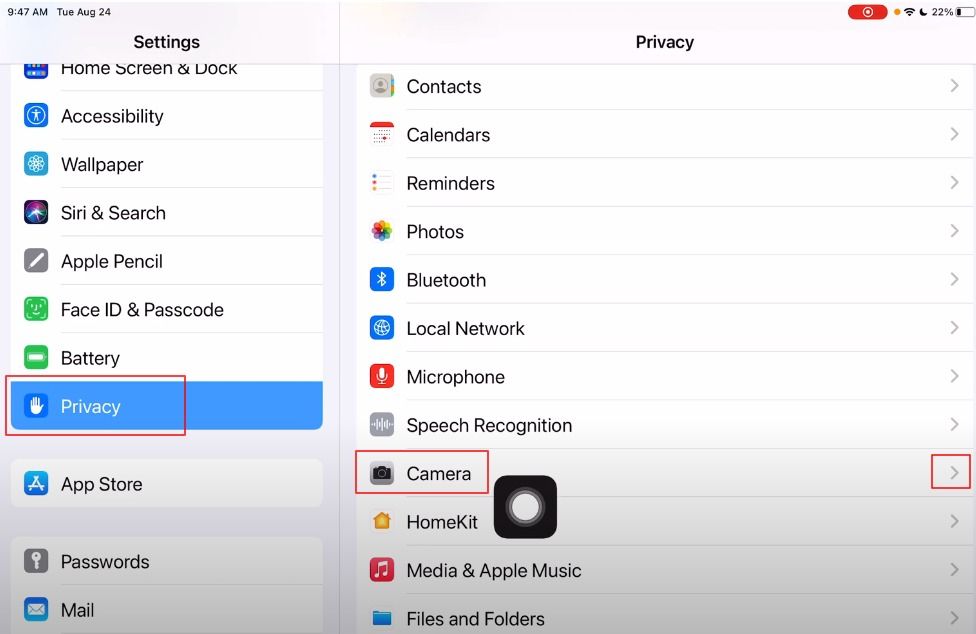
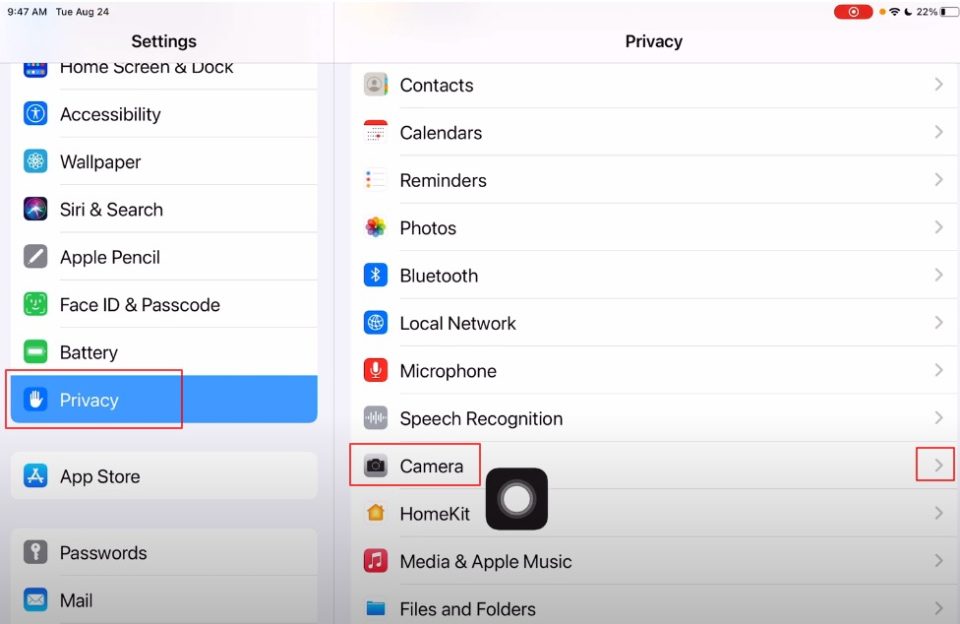
Then select the Privacy & Security section.
First, enter the Camera setting.
Turn on or turn off camera permission for the app you want.
Then go back one step and select Microphone.
Turn on or turn off microphone permission for the app you want.
Selecting camera permission
Microphone permissions
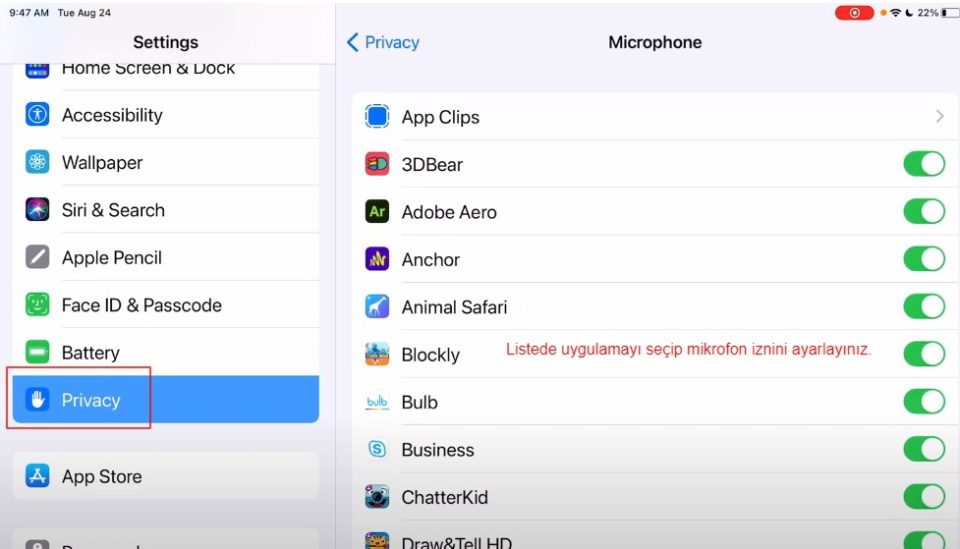
The list shows the applications that have requested access. You can turn access on or off for any app in the list. A green indicator appears when an app is using the camera (including when using the camera and microphone together). An orange indicator appears at the top of the screen when an app is using the microphone without a camera. A message will also appear at the top of Control Center notifying you that an app has been using any of these recently.